
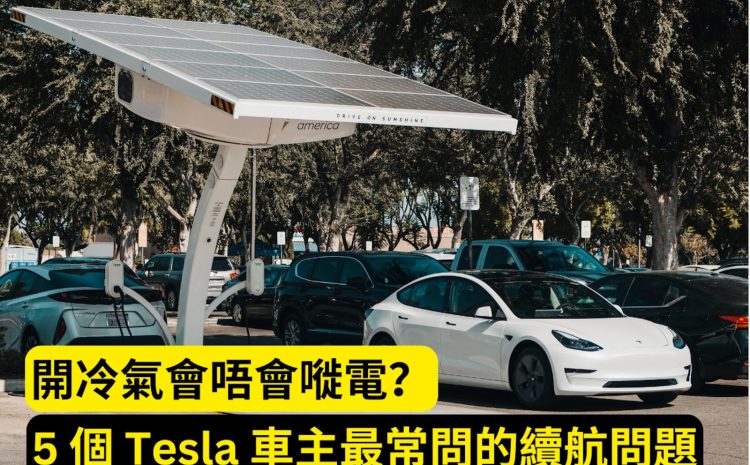
Does Running the Air Conditioning Drain the Battery? 5 Most Common Range Questions Tesla Owners Ask
As a Tesla owner, you may often hear the claim that ‘running the air conditioning drains the battery’, but is it true? In fact, the effect of air conditioning on Tesla range is far smaller than you might think. Especially during hot summers, using the air conditioning appropriately not only improves comfort, but can also reduce the impact on battery consumption through smart management. This article will take an in-depth look at the 5 most common range questions from Tesla owners, uncover the truth about how air conditioning affects battery charge, and provide practical energy-saving tips. Whether you are a new owner or an experienced one, this guide will help you manage your Tesla’s range more intelligently and enjoy a worry-free driving experience.
Tesla Owner’s Range Guide: Air Conditioning Impact and Energy-Saving Tips
Introduction: Common Range Concerns Among Tesla Owners
Tesla owners often worry about whether their driving range is sufficient for daily needs, and the question of whether running the air conditioning will significantly drain the battery is frequently raised. As electric vehicles become part of modern life, range is not only a technical specification but also a key factor affecting the driving experience. Particularly in summer, the use of air conditioning seems to have become a majorconcern. However, is the reality really as exaggerated as the rumours suggest? This article will answer the five most common range questions from Tesla owners, with a particular focus on how air conditioning affects battery charge, and provide practical energy-saving advice. Whether you are a newcomer who has just got a Tesla or a seasoned owner, this guide will help you manage range more intelligently and enjoyWorry-free driving pleasure.
Does using the air conditioning significantly reduce Tesla range?
Explaining the extent of air conditioning’s impact on range
Many owners believe that using the air conditioning significantly shortens a Tesla’s range, but this is not actually the case. According to Tesla’s official data, under normal use the air conditioning consumes approximately 1 per hour-2 kWh. Taking Tesla Model 3 as an example, its battery capacity is approximately 75 kWh, which means that running the air conditioning for one hour consumes only 1.3%-2.7%. For short-distance driving, this effect is almost negligible. Even on long journeys, the air conditioning’s power consumption will not be the main bottleneck for range. On the contrary, appropriate use of air conditioning can enhance driving comfort, keeping you focused and safe in hot weather.
Providing data support, comparing the power consumption of air conditioning and other features
To give owners a clearer picture of air conditioning power consumption, below is a comparison of the power consumption of common Tesla features:
- Air conditioning: per hour 1-2 kWh
- Heating: per hour 3-5 kWh (depending on temperature setting)
- Audio system: per hour 1-0.2 kWh
- Autopilot feature: per hour 5-1 kWh
From the data, it can be seen that the air conditioning’s power consumption is far lower than heating, and is even comparable to that of advanced features such as Autopilot. Therefore, rather than worrying about air conditioning power consumption, it is better to focus on features that consume more power. Tesla also provides a thoughtful feature: through Tesla App to pre-cool the cabin while charging, so that you do not need to consume driving power when setting off, saving energy and providing comfort.
Energy-saving tips: Set the air conditioning to ‘Auto mode’, allowing the system to intelligently adjust fan speed and temperature based on the inside and outside temperature, further reducing power consumption.
How to save power in hot weather?
Sharing practical tips
In the high temperatures of summer, Tesla owners can effectively save power while keeping the cabin comfortable through the following methods:
- Pre-cool the cabin
Before departure 10-15 minutes, use the Tesla App to turn on the air conditioning, allowing the vehicle to cool down while charging. This avoids extra power consumption while driving, and is especially suitable for owners parked at charging stations. - Use seat ventilation
Some Tesla models are equipped with seat ventilation, which consumes far less power than air conditioning. When the weather is not too hot, activating seat ventilation can keep you cool without having to run the air conditioning the whole time. - Choose a shaded parking space
Parking under the shade of a tree or using a sunshade can effectively lower the cabin temperature and reduce the load when the air conditioning starts. - Adjust the air conditioning mode
Choosing ‘Recirculation mode’ instead of ‘Fresh air mode’ can reduce the frequency with which the air conditioning system draws in hot air from outside, further saving power.
Real case
A Tesla owner in Taiwan shared his experience: in summer, by combining cabin pre-cooling with seat ventilation, he cut air-conditioning usage time by about 30%, and his daily commute energy consumption fell from 15% to 10%, increasing range by about 12 km. This proves that simple habit adjustments can significantly improve range efficiency.
How does Tesla’s battery management system help save power?
Introducing Tesla’s intelligent battery management features
Tesla’s Battery Management System (BMS) is the unsung hero behind its range efficiency. Here are several core BMS functions:
- Battery temperature control
The BMS automatically monitors and regulates battery temperature, ensuring it stays within the optimal operating range (around 20-40°C). In hot weather, this reduces energy loss caused by battery overheating. - Smart charging management
Based on the owner’s charging habits and grid conditions, the BMS optimises charging speed, prevents overcharging or over-discharging, extends battery life and improves range efficiency. - Energy recovery system
Tesla’s regenerative braking converts kinetic energy into electricity and stores it back in the battery when decelerating or braking, notably topping up charge on city roads.
How to make the most of the BMS
Owners can monitor battery status via the Tesla App and enable the ‘Smart Preconditioning’ feature before a long trip so the battery reaches its optimal temperature at departure. This not only improves range but also speeds up charging. For example, at an ambient temperature of 35°C, preheating the battery can reduce energy loss by about 5%, equivalent to an extra 10-15 km of range.
How to plan charging on long trips
Charging station planning tools and advice
Long trips are the ultimate test of Tesla’s range, but with proper planning owners need not worry about running low. Here are some practical tips:
- Use the Tesla navigation system
Tesla’s in-car navigation automatically plans Supercharger stops along the route based on remaining charge and destination, and estimates charging time and required charge. - Keep a safety buffer
It’s advisable to arrive at a charging station with at least 10% charge remaining, to handle unexpected situations such as traffic jams or navigation errors. - Choose Superchargers
Tesla Superchargers can charge at speeds of up to 250 kW, and within 30 minutes can replenish 80% of charge, far faster than standard charging points. - Third-party tools
such as PlugShare or A Better Routeplanner can provide more detailed charging station information and route optimisation, making them particularly suitable for cross-border travel.
Real-world example
A Tesla owner drove from Taipei to Kaohsiung (about 350 km) and used Tesla navigation to plan 1 charging stops, and stayed at the Tainan Supercharger for 25 minutes, adding 60% of charge, completing the journey smoothly. Throughout the entire process, the battery level remained above 15%, allowing him to enjoy the journey without any stress.
What are the common misconceptions about range?
Debunking common myths
Tesla owners often hear incorrect ideas about range; below are the facts behind three common myths:
- Myth: Tesla has poor range in cold weather
The truth: Low temperatures do affect battery performance, but Tesla’s BMS automatically preheats the battery, reducing range loss. By comparison, heating consumption (per hour 3-5 kWh) is far higher than air conditioning; owners can save energy by preheating the cabin and using seat heating. - Myth: Using air conditioning significantly reduces range
The truth: As mentioned earlier, air conditioning uses only 1-2 kWh per hour, so its impact on range is minimal. Using air conditioning sensibly can actually enhance the driving experience. - Myth: Tesla batteries degrade quickly
The truth: Tesla batteries are designed to last 8 years or 160,000 km, through software updates and intelligent management, battery health can usually be maintained at 90% or above.
Expert recommendations
Regularly update your vehicle software to obtain the latest battery management optimisations, and follow Tesla’s charging recommendations (keeping the charge level between 20% and 80%), which can effectively extend battery life and improve range performance.
Conclusion: The key to mastering Tesla range management
Managing a Tesla’s range is not difficult. As long as you make good use of the vehicle’s intelligent features and practical tips, owners can easily cope with various driving scenarios. Air conditioning has a much smaller impact on range than you might imagine. By pre-cooling the cabin, adjusting your usage habits and planning charging stations, you can not only extend your range but also enjoy a more comfortable driving experience. Tesla ‘s advanced technology makes electric vehicle life even smarter and more convenient. Apply these suggestions now and let your Tesla be unbeatable on the road, becoming the most dazzling focus!
Explore more:
- [Beginner’s must-read] How often does a Tesla need servicing? 3 major points you need to know
- Tesla standard warranty vs. extended warranty: which option is best for you?
- Avoid wasting money! 5 major common misconceptions about extending your Tesla warranty