
Tesla Screen Repair: The Complete Guide | Black Screen and Touch Failure Solutions in 2025: Expert Tips to Help You Get It Sorted with Ease!
Tesla Screen Repair: The Complete Guide | Black Screen and Touch Failure Solutions in 2025: Expert Tips to Help You Get It Sorted with Ease!
Tesla owners, I’m sure we all have a love-hate relationship with the touchscreen. It combines all functions in one and looks incredibly high-tech, but once a black screen, unresponsive touch or other strange issue appears, it can really be a complete headache! Especially in a fast-paced city like Hong Kong, if your car starts playing up, it can affect your daily routine and work in no time.This time, we at HK Tesla Repair have prepared this ‘Tesla Screen Repair: The Complete Guide’ for everyone, taking you through it step by step and explaining how to solve these common problems. We’ll also share the latest repair trends and tips for 2025, helping you save money and time!
As a professional electric vehicle repair centre, we fully understand Tesla owners’ expectations of their vehicles. The screen is not just a control centre; it is also your window into experiencing Tesla technology. When it develops a problem, it is as if the connection between you and your car has been cut. Whether your Tesla is a Model S, Model 3, Model X or Model Y, this article will provide you with practical information, including how to carry out an initial diagnosis, when to seek professional help, and how we at HK Tesla Repair provide fast, reliable repair services.
Understanding Common Tesla Screen Problems and How They Work
Before we start talking about repairs, it is worth first understanding how the Tesla screen actually works and what the most common problems are. That way, you can more accurately identify where the problem lies, and may even be able to fix some minor issues yourself.
How Does the Tesla Screen Work?
Tesla’s central touchscreen is essentially a high-performance computer designed specifically for cars. It not only controls navigation, music, air conditioning, door locks and even switching between driving modes, but also integrates many advanced driver assistance functions. It uses a system based on It runs a Linux operating system and is equipped with a powerful processor and a high-resolution touchscreen. The touchscreen technology is usually capacitive, just like your phone’s screen, requiring a conductive object (such as a finger) to make contact before it responds.
Common Tesla Display Screen Faults
Based on our long-term observations and hands-on experience at HK Tesla Repair, the issues that arise with Tesla display screens can mainly be divided into the following categories:
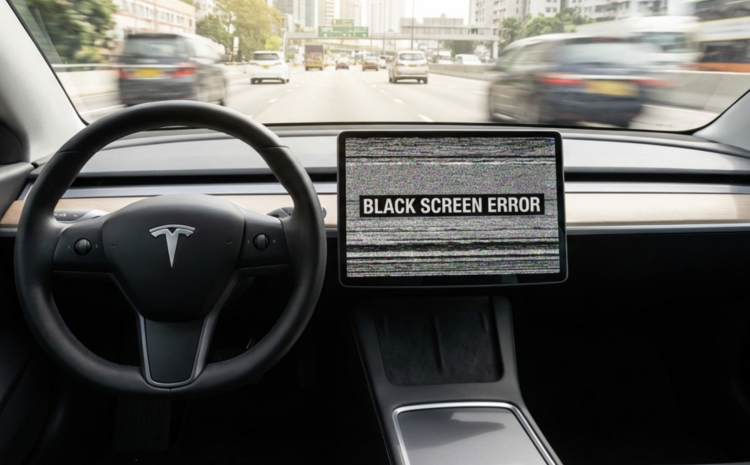
- Blank Screen: The screen is completely blank, entirely black.
- Unresponsive Touch: The screen displays an image, but it cannot recognise finger touch, or the touch response is slow and erratic.
- Display Glitches: Issues such as lines, flickering, colour distortion, and misaligned display appear on the screen.
- System Lag or Freeze: The operating system responds extremely slowly, or stops responding altogether and needs to be restarted.
- Some Features Not Working: Although the screen displays normally, certain specific functions (such as navigation and Bluetooth) cannot be used properly.
These issues may sometimes be software bugs, sometimes hardware damage, and sometimes problems with the connecting cables. Understanding these basic situations helps us with the next step of diagnosis.
The Latest Strategies for Tesla Display Screen Repair in 2025
As electric vehicle technology continues to advance, Tesla display screen repair methods are also moving with the times. In 2025, we will place greater emphasis on software updates, hardware diagnostics, and preventive maintenance.
Strategy One: Software Update and Reset
Very often, the problems that occur with Tesla display screens are caused by software bugs or system conflicts. Tesla frequently uses OTA (Over-The-Air) updates to fix bugs and improve performance. If you encounter a display screen problem, the first step should be to check whether any software updates are available. If it is already the latest version, you can try performing a system reset.
System Reset Method:
- Press and hold both the left and right scroll wheels on the steering wheel simultaneously until the screen goes black, and then the Tesla logo appears.
- This operation will restart the display screen and its related computer modules; many minor software problems can be resolved through this method.
Helpful Tip: A system reset only addresses software-level issues. If the problem persists, or if it is a hardware fault, further inspection will be required.
Strategy Two: Professional Diagnostics and Hardware Inspection
When a software reset proves ineffective, there is a strong chance it is a hardware problem. At this point, professional diagnostic tools and technicians are needed. Here at HK Tesla Repair, we are equipped with the latest diagnostic equipment, capable of thoroughly testing every component of the display, including the touch panel, the display itself, the connecting cables, and the control unit.
Common causes of hardware failure:
- Touch panel damage: This may be caused by accidental impact, liquid ingress, or ageing.
- Internal display failure: For example, backlight issues, LCD panel damage, and so on.
- Loose or damaged connection cables: A problem with the data transmission cable between the display and the vehicle’s main unit.
- Computer unit failure: A problem with the computer module responsible for processing display signals.
Many owners want to do it themselves, but Tesla’s electronic systems are extremely complex, and dismantling them at random may cause secondary damage or even affect the vehicle’s warranty. Therefore, it is best to leave this professional diagnostics and hardware testing to our HK Tesla Repair services team.
Strategy Three: Preventive Maintenance and Daily Care
Prevention is better than cure. In 2025, we place even greater emphasis on preventive maintenance for Tesla displays. Regular inspections and good usage habits can effectively extend the display’s lifespan and reduce the chance of faults occurring.
Daily care recommendations:
- Keep it clean: Clean the screen regularly with a microfibre cloth, and avoid cleaners containing alcohol or harsh chemicals.
- Avoid overheating: Leaving your vehicle parked under the blazing sun for long periods can expose it to high temperatures, which may affect the lifespan of electronic components.
- Handle with care: Avoid touching the screen with sharp objects, as this can scratch or damage the touch layer.
- Regular checks: Watch for any unusual flickering or touch delay on the screen so that problems can be spotted early.
The quick vehicle inspection service offered by HK Tesla Repair also includes a preliminary assessment of the display, helping you identify potential issues early.
Common Tesla Display Faults and Solutions
Here, we will discuss in detail some of the most common Tesla display screen faults, along with targeted solutions. Our goal is to provide you with the most practical information, so that you can better understand and deal with these issues.
Fault One: Tesla Display Screen Black Screen
A black screen is a very frustrating problem, because you will lose control over most of the vehicle’s functions. There are many causes of a black screen, including software crashes, hardware faults, or power supply problems.
Preliminary diagnosis and solutions:
- Try a system reset: As mentioned earlier, press and hold both scroll wheels on the steering wheel to restart the system. This is the preferred method for resolving most temporary software issues.
- Check the fuse: Although it is less common, a blown display screen fuse can sometimes cause a black screen. However, replacing the fuse requires a certain level of expertise, so it is recommended that a professional carries it out.
- Check the power connection: The display screen’s power wiring may become loose or damaged. This requires removing part of the interior trim, so it is recommended to leave it to a professional technician.
If the system reset does not work, or you are unsure how to check, we strongly recommend that you contact us Contact HK Tesla Repair. Our technical team can quickly and accurately diagnose the root cause of the black screen and provide professional repair solutions. We offer a free inspection and can provide an instant quote, ensuring you clearly understand the repair costs.
Fault Two: Tesla display touchscreen unresponsive
Touchscreen unresponsiveness, also known as ‘ghost touch’ or ‘dead zones’, means the screen cannot accurately recognise your touch, or a certain area does not respond at all. This problem can severely affect the driving experience, as you cannot operate navigation, music, or even the air conditioning.
Possible causes of touchscreen unresponsiveness and solutions:
- Screen dirt or foreign objects: Stains, oil marks, or tiny particles on the screen surface can all interfere with touch. Try cleaning the screen with a microfibre cloth.
- Software bug: Certain versions of the operating system may have touch-related bugs. Check whether there is a software update, or try a system reset.
- Static interference: In dry environments, static electricity may build up on the screen, affecting touch sensitivity.
- Damaged touch panel: If none of the above methods work, there is a strong chance that the touch panel itself has suffered physical damage. This will require replacing the touch panel.
- Humidity issues: Sometimes, if the humidity inside the vehicle is too high, or if liquid seeps in, this can also cause the touchscreen to become unresponsive.
For touchscreen unresponsiveness, particularly where hardware damage is suspected, our experienced technicians at HK Tesla Repair can provide you with an accurate diagnosis. We can replace the damaged touch panel, ensuring the screen regains its original sensitivity and accuracy. Our repairs are carried out quickly to minimise inconvenience to you.
Fault Three: Tesla Display Screen Image Abnormalities
Image abnormalities, such as lines appearing on the screen, flickering, or display misalignment, usually indicate a problem with the display screen itself or its connected display driver circuit.
Diagnosing and addressing image abnormalities:
- Check the display wiring: If the display data cable between the display screen and the vehicle head unit is loose, has poor contact, or is damaged, it can cause image abnormalities. This requires a professional technician to inspect and reconnect or replace the cable.
- Fault with the display itself: If the wiring connections are normal, the display module inside the screen may already be damaged. In this case, the entire display assembly usually needs to be replaced.
- Software issues: Although less common, bugs in the display driver can sometimes cause image abnormalities. Try a system reset or wait for a software update.
We at HK Tesla Repair specialise in repairs for all Tesla models, including professional display screen repairs. We have dedicated testing equipment that can accurately determine whether the issue lies with the wiring or the screen itself, so we can provide the most cost-effective solution. We do not charge extra inspection fees and can provide an instant quote, giving you peace of mind when repairing your vehicle.
Tesla Display Repair Tools and Resources
To deal effectively with Tesla display screen issues, the right tools and resources are indispensable. Although many complex repairs require professional equipment, as a vehicle owner, understanding some basic tools and resources can also help you communicate better with repair technicians or carry out simple self-checks.
Essential Software and Platforms
Tesla’s vehicle systems, particularly the display screen, run on complex software. That is why software updates and diagnostic tools are so important.
- Official Tesla software updates: Make sure your vehicle always runs the latest software version. These updates are usually downloaded and installed automatically over Wi-Fi.
- Third-party diagnostic tools: There are some third-party diagnostic tools on the market that can connect to a Tesla vehicle’s OBD-II port to read error codes and monitor vehicle data. However, using these tools requires a certain level of technical knowledge, and you must ensure the tool is compatible.
- Diagnostic systems at professional repair centres: For example, the professional diagnostic equipment used by HK Tesla Repair can read deeper, more detailed vehicle data to pinpoint the problem accurately.
Recommended Reading and Courses
For owners who want a deeper understanding of Tesla repairs, consider reading relevant technical documentation or taking online courses.
- Official Tesla owner’s manual: Although it does not explain repairs in detail, it helps you understand the vehicle’s basic functions and troubleshooting tips.
- Professional car repair forums: For example, Tesla Motors Club and similar forums bring together a wealth of experience shared by Tesla owners and technicians, and you can sometimes find solutions there.
- Online repair courses: Some online education platforms (such as Udemy and Coursera) may offer introductory courses on electric vehicle repair to help you understand the basic principles.
Expert Communities and Forums
Joining a Tesla owners’ community puts you in touch with more experienced owners, so you can share repair tips or even ask for help.
- Facebook groups: Searching for keywords such as “Tesla Hong Kong owners” will turn up plenty of active local communities.
- Reddit: Subreddits such as r/teslamotors are key platforms where Tesla owners around the world exchange ideas.
In these communities, you may see technicians from HK Tesla Repair sharing professional advice, and we are happy to answer owners’ questions.
Predictions for Future Trends in Tesla Display Screen Repair
Technology advances rapidly, and Tesla display screen repair techniques and trends will keep evolving. We expect developments in the following areas over the coming years:
The application of emerging technologies
As artificial intelligence (AI) and machine learning (ML) technologies develop, future Tesla vehicles may have more powerful self-diagnostic capabilities. The display itself may be able to predict potential faults more accurately and proactively alert owners to carry out checks.
For example, AI algorithms can analyse the display’s operating data, identify early signs of reduced touch sensitivity, or predict screen lifespan, so repairs can be carried out in advance and problems on the road avoided.
Changes in market dynamics
As more and more Tesla vehicles are on the road, demand for professional repair services will continue to increase. We expect more third-party repair centres specialising in Tesla repairs to appear, creating a more competitive market. This is good for consumers, as it offers more choice and can also help reduce repair costs.
At the same time, Tesla itself may also introduce more remote diagnostics and software repair solutions, further improving repair efficiency.
Predictions for the next five years
Over the next five years, we expect Tesla display repairs to become more modular and standardised. Display components may be designed to be easier to remove and replace, which can shorten repair times. At the same time, repair technicians will need to keep learning new diagnostic techniques and software knowledge to adapt to constantly changing vehicle systems.
We at HK Tesla Repair are already prepared for these future trends. Our technical team will continue to receive training and introduce the latest repair equipment, ensuring we can provide top-tier repair services for Tesla owners. Whether it is battery replacement, motor maintenance, or bodywork repair, we are your trusted choice.
Frequently Asked Questions (FAQ)
To answer your questions about Tesla display repairs more comprehensively, we have compiled some common questions and answers.
Q1: My Tesla display has suddenly gone black — what should I do?
A1: First, try pressing and holding both scroll wheels on the left and right sides of the steering wheel at the same time until the screen goes black and restarts. If the problem persists, we recommend contacting a professional repair service immediately, such as Contact HK Tesla Repair. We offer a service with no inspection fee, and can provide a fast diagnosis and an instant quote.
Q2: If the Tesla display touchscreen is unresponsive, do I always need to replace the screen?
A2: Not necessarily. First try cleaning the screen and check whether there is a software update. If the problem persists, it may be a hardware issue, such as an ageing or damaged touch panel. Here at HK Tesla Repair, we can carry out a detailed inspection; sometimes replacing just the touch panel is enough to solve it, and you do not necessarily need to replace the whole screen, which can save costs.
Q3: How long does a Tesla display repair usually take?
A3: Repair time depends on the complexity of the problem. A simple software issue may be resolved within minutes (for example, a system restart). If it is a hardware replacement, such as the touch panel or the display itself, it may take several hours. Here at HK Tesla Repair, we are committed to providing a fast repair service, minimising your vehicle’s downtime as much as possible.
Q4: Where can I find reliable Tesla repair services?
A4: Finding an experienced, reputable repair centre is very important. Here at HK Tesla Repair, we specialise in repairs for all Tesla models, with a professional technical team and advanced equipment, and we have earned our customers’ trust through transparent pricing and fast service. You can visit our website HK Tesla Repair to learn more.
Q5: How much does a Tesla display repair usually cost?
A5: Repair costs vary depending on the type of problem and the parts that need to be replaced. For example, a software issue may only cost a small amount, while replacing the entire display assembly will be relatively more expensive. Here at HK Tesla Repair, we offer a free inspection and instant quotes, ensuring you clearly understand all costs before the repair.
Customer testimonials
“My Model 3 display suddenly showed lots of lines and gave me a real shock! Luckily, I found HK Tesla Repair, and they inspected it very quickly. It turned out that the display cable had come loose. It was sorted out in a few hours, and the price was reasonable with very good service!” – Mr Lee, Tesla Model 3 owner
“I tried rebooting the system myself before, but the black screen issue wasn’t resolved. In the end, I went to HK Tesla Repair, and their professional diagnostics quickly identified the problem — it turned out the touch panel was faulty. After replacing it, the screen looks as good as new! Highly recommended!” – Ms Chan, Tesla Model S owner
Conclusion: Choose a Professional, Drive with Peace of Mind
Tesla display repairs can sometimes be resolved with simple software operations, but many cases involve complex hardware issues. In 2025, faced with increasingly complex automotive electronic systems, choosing a professional and reliable repair partner is crucial. We HK Tesla Repair has extensive experience in Tesla repairs, specialising in servicing all Tesla models, including rapid vehicle inspections, battery replacement, motor and engine maintenance, and bodywork repairs. Our promise is to provide you with free inspections, instant quotations, and convenient, efficient repair services, so you can drive with peace of mind and fully enjoy the technology experience Tesla brings.
If you experience any issues with your Tesla display, whether it is a black screen, unresponsive touch, or other faults, please do not hesitate to contact us at HK Tesla Repair. You can visit our website HK Tesla Repair to learn more about our services, or directly contact HK Tesla Repair to book an inspection. We look forward to providing you with our most professional and attentive service!
Call to action:
Visit now the official HK Tesla Repair website, learn more about Tesla repairs, or call us directly to make an appointment. Your Tesla deserves the best care!